How to turn on File and printer sharing in Windows Firewall
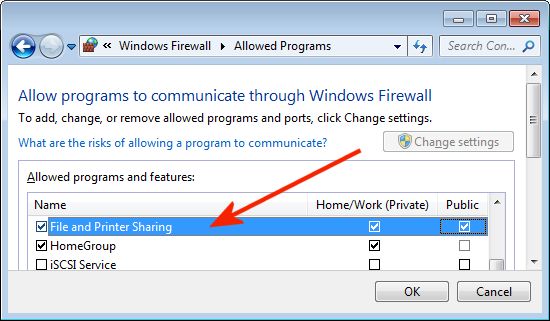
- For Windows Vista / Windows 7 / Windows 8 / Server 2008
- For Windows XP / Windows 2000 / Windows Server 2003
For Windows XP / Windows 2000 / Windows Server 2003
Applies to
Windows 2000, Windows XP, Windows Server 2003
Resolution
Windows Firewall (or any other firewall) may block Recover Keys from accessing \\remotepc\c$ share in order to login into remote. To fix it you may disable firewall or configure it properly. In Windows Firewall this can be done quite easy - you need to enable 'File and Printer sharing'. Here are more detailed steps:
- Go to 'Control panel'
- Click on 'Windows Firewall'
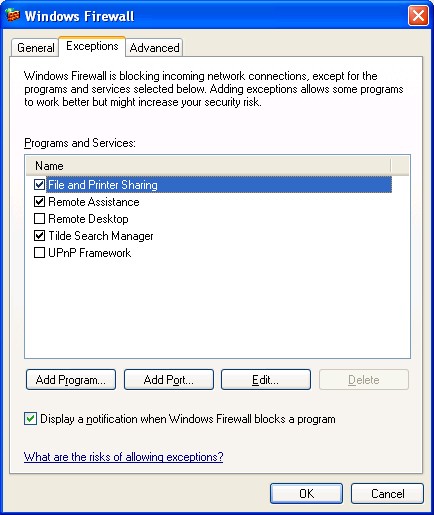
- If its state is "On", navigate to 'Exceptions' tab
- Enable 'File and Printer sharing' like on picture below:
For Windows Vista / Windows 7 / Windows 8 / Server 2008
Applies to
Windows Vista, Windows 7, Windows 8, Windows Server 2008
In Windows 7, you can find this applet in Small or Large icons view of "Control Panel", click "Change settings" button in "Allowed Programs" options, check "File and Printer Sharing".